Welcome to the Pult Changelog! 🚀

Here you'll find all the latest updates and improvements we've made to the platform. If you have any questions, feel free to reach out to our support team at support@pult.com

© 2026 PULT GmbH
Jan 23, 2026

The PULT AI Assistant has been expanded to support meeting room data. You can now ask questions and get information about meeting room bookings, along with access to related insights and statistics. This update makes it easier to understand room usage, review booking activity, and surface key trends—all directly through the AI Assistant.

Jan 22, 2026

You can now export visitor information for a selected time frame using our new AI-powered export flow. Simply choose your desired date range and click Export with AI. You’ll be redirected to the PULT AI Assistant, where the relevant visitor data is automatically gathered and prepared. Once complete, the data can be downloaded as a CSV file for easy analysis and reporting.

The exported CSV includes the following columns:

  • Date
  • Guest Name
  • Guest Email
  • Host Name
  • Host Email
  • Status
  • Check-In Time
  • Check-Out Time
  • Expected Arrival

This update makes it faster and more flexible to access detailed visitor data whenever you need it.

Jan 21, 2026

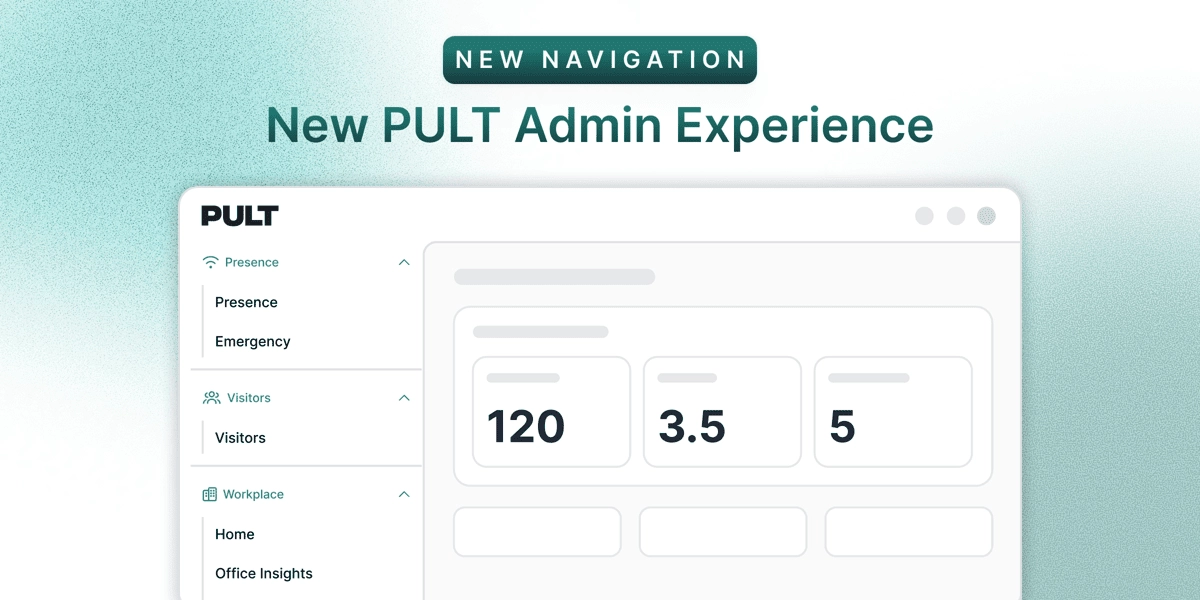
We’ve redesigned the PULT dashboard navigation to make it easier to explore what’s available today—and what’s coming next. The navigation is now organized into two clear sections:

  • PULT AI
    A dedicated space for all PULT automation and AI-powered tools. This section highlights tools that are currently available as well as upcoming capabilities, giving you a clear view of what’s live and what’s on the roadmap.
  • PULT Workplace
    Home to all existing tools and functionalities that power the core PULT SaaS experience. Everything you already use remains here, now grouped for easier access and clarity.

Jan 13, 2026

We’ve added an AI Assistant to the Dashboard to help you quickly gain insights from your workplace data—using simple, natural language questions. 

    Examples of what you can ask

    • Today’s employee bookings
    • How many guests did not check out
    • The ratio between booked desks and actual check-ins
    • Office capacity usage over the past month, broken down by office
    • and many more...

    The AI Assistant accesses system data only, meaning information that is available within Pult. Just type your question, and the AI Assistant will analyze the available data and return clear, actionable insights—no manual reports or exports required.

    Jan 07, 2026

    What’s changed

    • Users are no longer prompted to grant Slack permissions every time they sign in.
    • A one-time Slack authorization by an admin is now sufficient for the entire workspace.

    What admins need to do (one-time setup)
    1. Sign in to PULT as an admin.
    2. Go to Integrations → Slack.
    3. Click Connect Slack Admin to authorize the Slack app.

    This installs the required permissions once per workspace.

    User Status Sync

    • If User Status Sync is enabled, Slack statuses will automatically sync with PULT presence.
    • If disabled, no additional Slack permissions are required.

    Result

    • Users can sign in smoothly with Sign in with Slack.
    • No repeated permission prompts on subsequent logins.
    • Users will now see the updated Slack sign-in page.
    Dec 22, 2025

    We’re excited to announce that PULT’s public roadmap is now live on Canny 🎉

    You can now:

    • 🗺️ View what we’re working on, what’s coming next, and what’s already shipped
    • đź’¬ Share feedback and leave comments on ideas and features
    • 👍 Vote on features to help us prioritise what matters most to you

    You can find the roadmap anytime directly from the top navigation bar in your dashboard, making it quick and easy to stay up to date or share your thoughts.

    Your input directly shapes PULT’s future—jump in and let us know what you’d love to see next!

    Dec 18, 2025

    Admins can now configure which offices require check-in confirmations. This can be managed under Settings → Notifications, giving admins control over where check-ins must be confirmed to improve office attendance trackin

    Dec 16, 2025

    Users can now filter Office Insights by office. You can select one or multiple offices to view tailored statistics, making it easier to analyse performance and trends across different locations.

    Dec 10, 2025

    PULT now automates meeting room check-ins using presence data or manual confirmations. If attendees don’t show up within a set grace period, the system automatically releases the room so others can book it. This update helps reduce wasted space, improves room availability, and ensures meeting rooms are used more efficiently.

    Here are the highlights:

    • Attendance is auto-checked based on configured rules like presence threshold, check times, meeting duration, and reminders.
    • Manual confirmation is supported, allowing organisers to confirm via Slack, Teams, or Google Chat.
    • Only the room booking is removed, never the meeting itself.
    • Rooms are automatically freed if the meeting stays unconfirmed and attendance never meets the required threshold.

    Restrictions for this feature can be configured in the Meeting Room Confirmation Settings. Full setup details are available in the PULT Help Center. We’d love to hear your feedback on this new feature!

    Dec 08, 2025

    We’ve added a powerful new heatmap to Office Insights, giving users a clear, visual understanding of how desks are being used across the office. When an office is selected, its floorplan now highlights each desk in varying shades of red, indicating how frequently it was booked during the chosen date range. A colour legend helps users quickly interpret utilisation levels at a glance.

    Users can also hover over or click any desk to see detailed insights, including its usage percentage, number of booked days, and the exact date range—calculated using working days only. The heatmap automatically updates whenever the main date filter is adjusted.”

    Dec 04, 2025

    We’ve added a new Dedicated Export page that makes it easier to download key data. The page includes exports for:

    • All Bookings
    • In-Office Bookings
    • Parking Bookings

    All exports are now available from one dedicated place for quicker access and smoother reporting.